

Database CI/CD pipeline automation is the principle of using continuous integration and continuous delivery to automate deployments, migrations, and schema changes to a database. Database changes are governed by the same pipeline as application code: automated build, test, and deploy, with guardrails, review gates, and rollback safety nets from the ground up.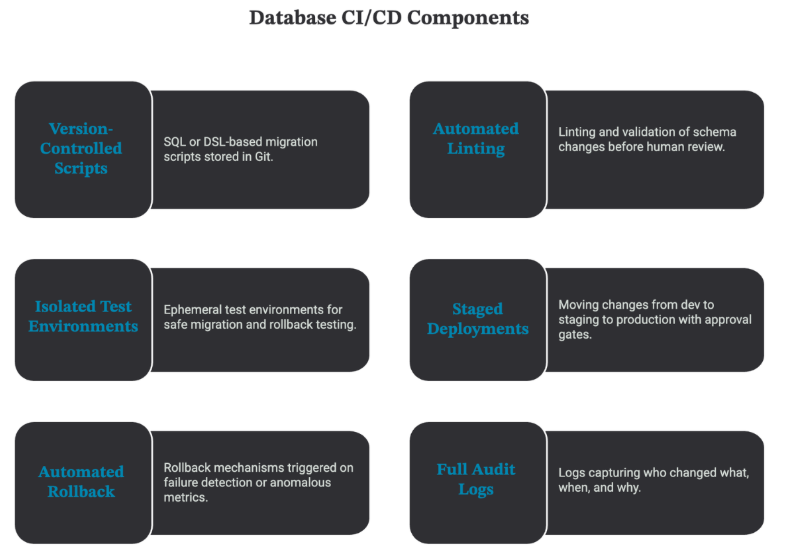
Traditional database deployments are done by DBAs using manual scripts during maintenance windows. This is time consuming, prone to errors, and results in a frustrating mismatch between application and database release cycles. The application team ships the application. The database team waits for a window. The morale goes down and so does velocity.
CI/CD automation solves this at the root by removing the human bottleneck from routine database operations. The benefits are immediate and measurable:
⦿ Removing manual tasks that can cause human error during critical deployments
⦿ Cutting deployment times from days or weeks to minutes
⦿ Providing consistent, repeatable deployments of databases to all environments
⦿ Full audit trails of all database changes for compliance and post mortems

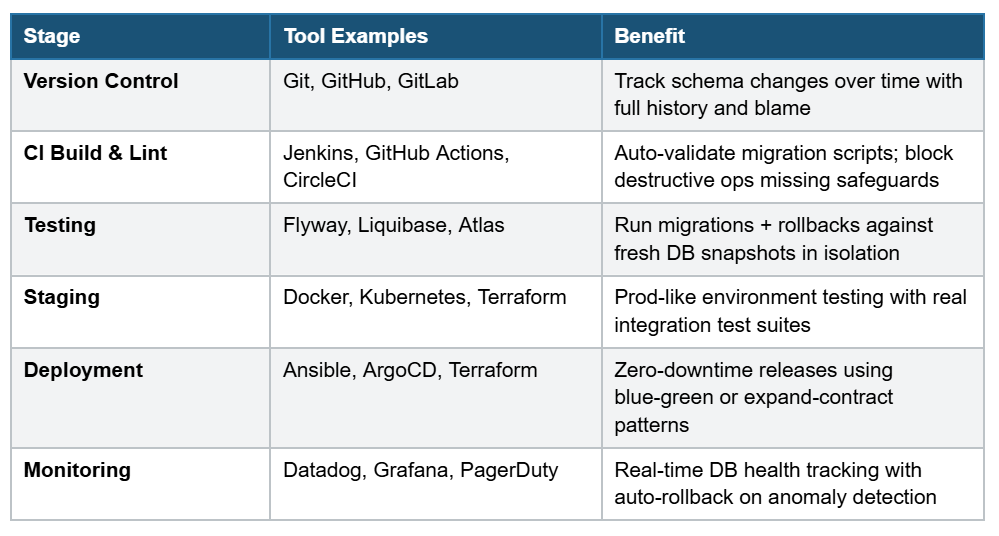
A modern database CI/CD pipeline isn’t a single tool it’s a sequence of gates, each one designed to catch a class of problems before they reach the next stage. Here’s a breakdown with recommended tooling:
The following screenshots illustrate the key features of 4DAlert’s Schema Compare module from the configuration dashboard through to auto-generated SyncUp Scripts and direct DevOps integration.
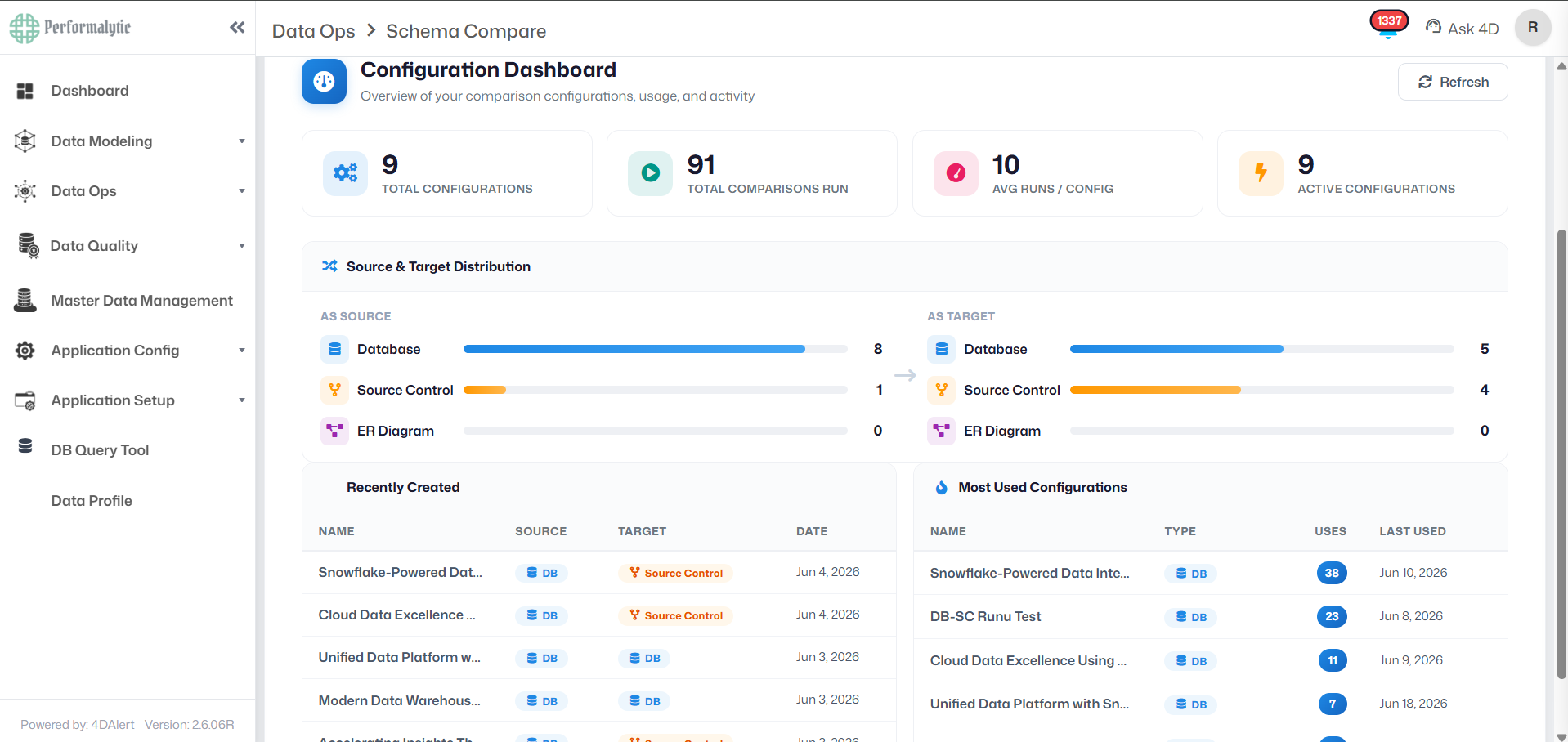
The 4DAlert Schema Compare Configuration Dashboard provides a high-level overview of all saved comparison configurations. It displays key metrics including 18 total configurations, 163 total comparisons run, an average of 9 runs per configuration, and 18 active configurations. The Source & Target Distribution panel shows usage across Database, Source Control, and ER Diagram types. Recently created and most-used configurations are listed for quick access.
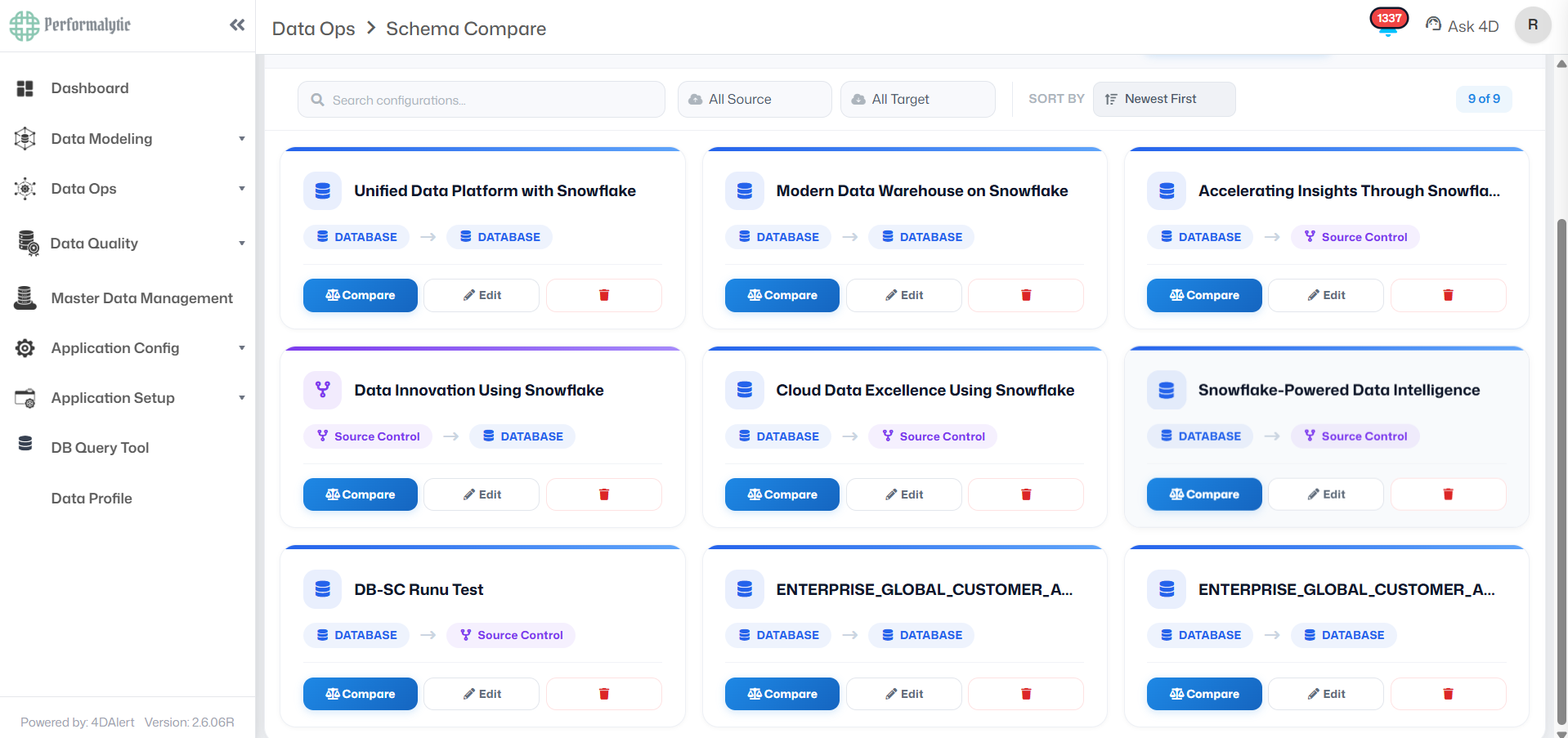
The Configurations page displays all 18 saved Schema Compare setups in a card-based grid view. Each card shows the configuration name, source type (Database or Source Control), target type, and action buttons (Compare, Edit, Delete). Configurations span multiple comparison modes Database-to-Database, Database-to-Source Control, and Source-Control-to-Database enabling teams to reuse these setups across repeated pipeline runs without re-entering connection details.
This configuration screen shows a Database-to-Database comparison setup. The Source is set to the SRCSNOW system with the MASTER_DATA schema, and the Target is set to the TRCSNOW system with the MASTER_DATA schema. All object types are selected including Tables, Views, Stored Procedures, Functions, Sequences, Streams, Pipes, File Formats, Tasks, Materialized Views, and Transient Tables. Preferences allow optional inclusion of DROP statements and column position in comparisons.
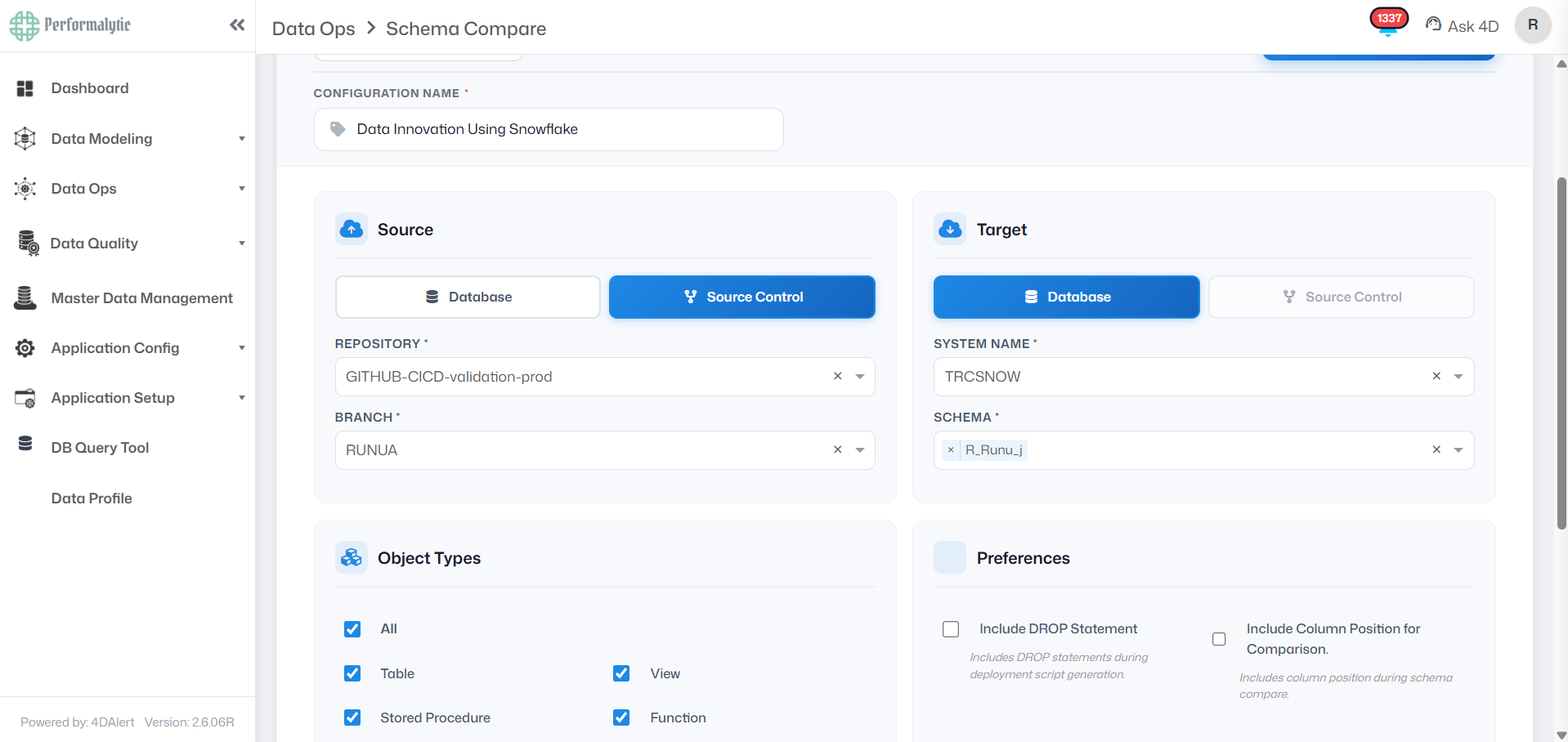
This configuration demonstrates a Database-to-Source Control comparison. The Source is the SRCSNOW database with the MASTER_DATA schema. The Target is the GITHUB-CICD-validation-prod repository on the Ranjan branch. This mode is used to confirm that a live database matches what has been committed to source control a critical check before any CI/CD release cycle. All object types are selected and DROP statement inclusion is optional.
This configuration illustrates the Source-Control-to-Database mode. The Source is the GITHUB-CICD-validation-prod repository (Ranjan branch), and the Target is the TRCSNOW database with the MASTER_DATA schema. This is the standard pre-deployment validation check comparing what is checked into version control against the target database before initiating a release. The object scope and preferences are consistent with other configuration modes.
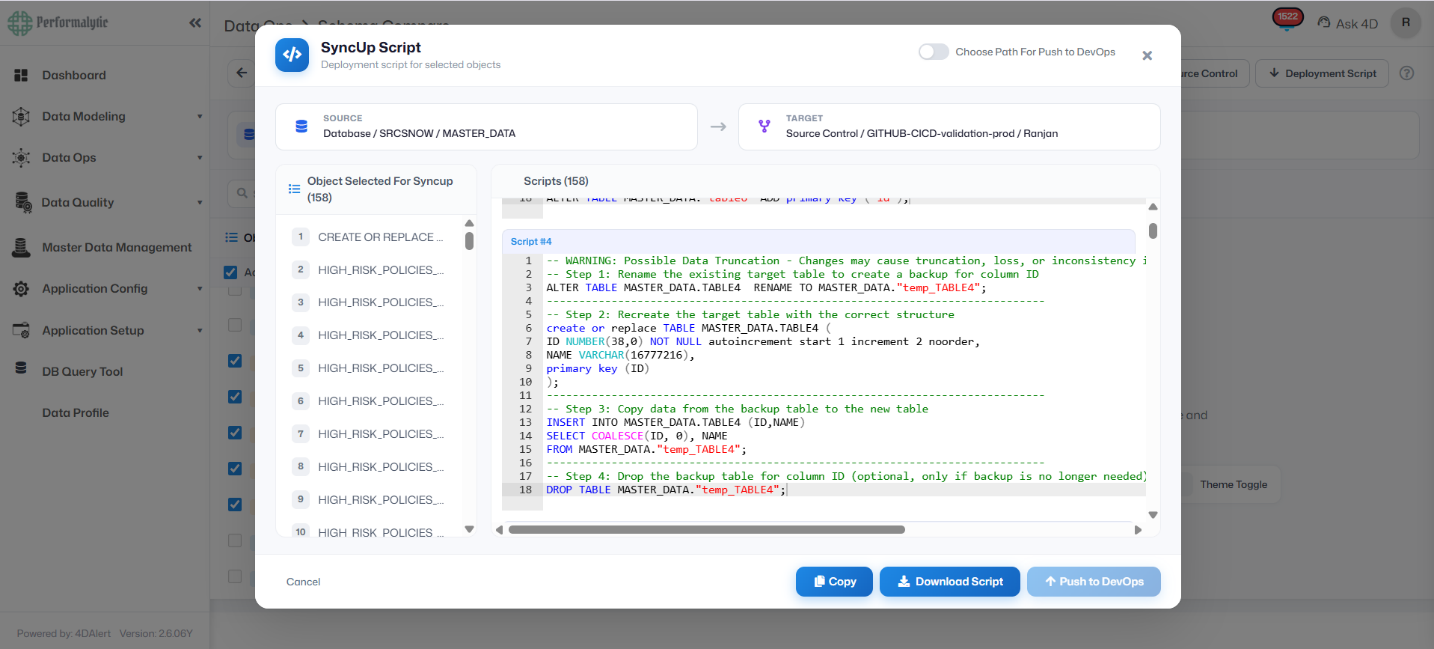
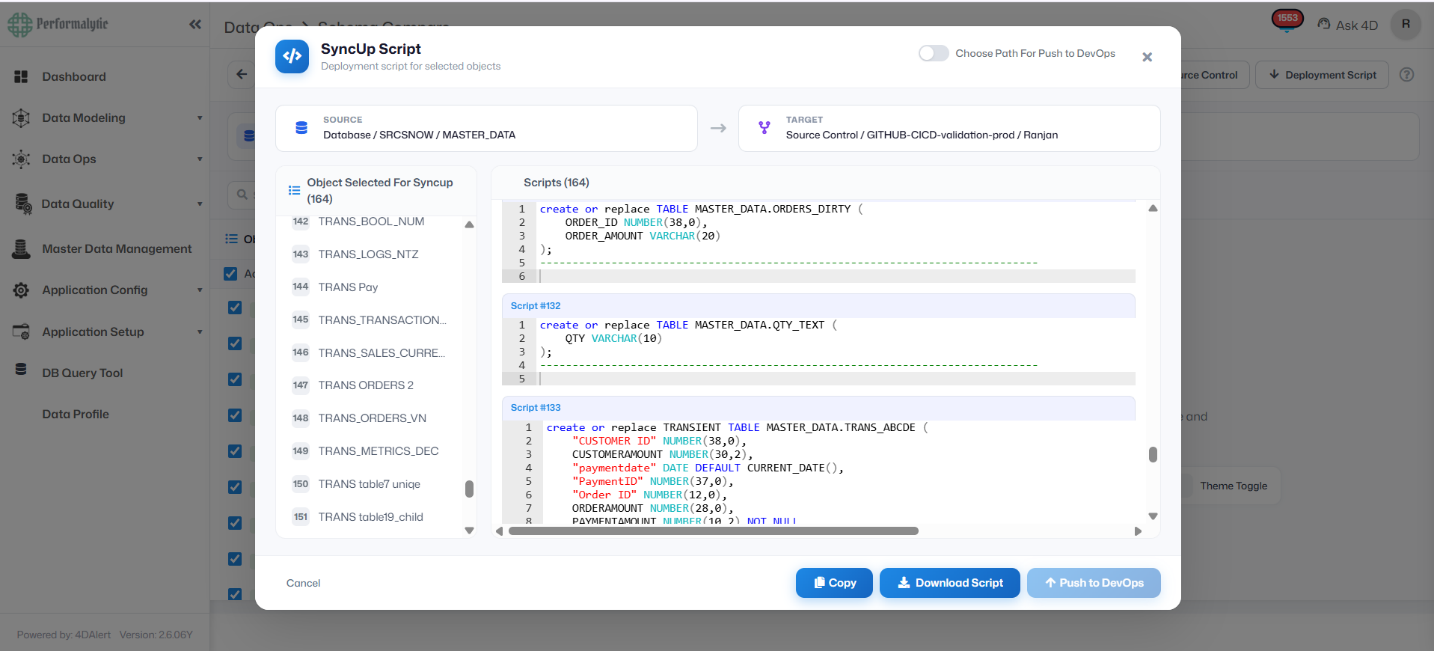
The SyncUp Script modal displays 164 auto-generated SQL deployment scripts for the selected 164 objects. The source is the SRCSNOW/MASTER_DATA database and the target is the GITHUB-CICD-validation-prod repository (Ranjan branch). Each numbered script is generated in dependency order. The panel includes CREATE OR REPLACE statements for new and modified objects, including Transient Tables. Users can Copy, Download the script, or Push directly to DevOps from this interface.
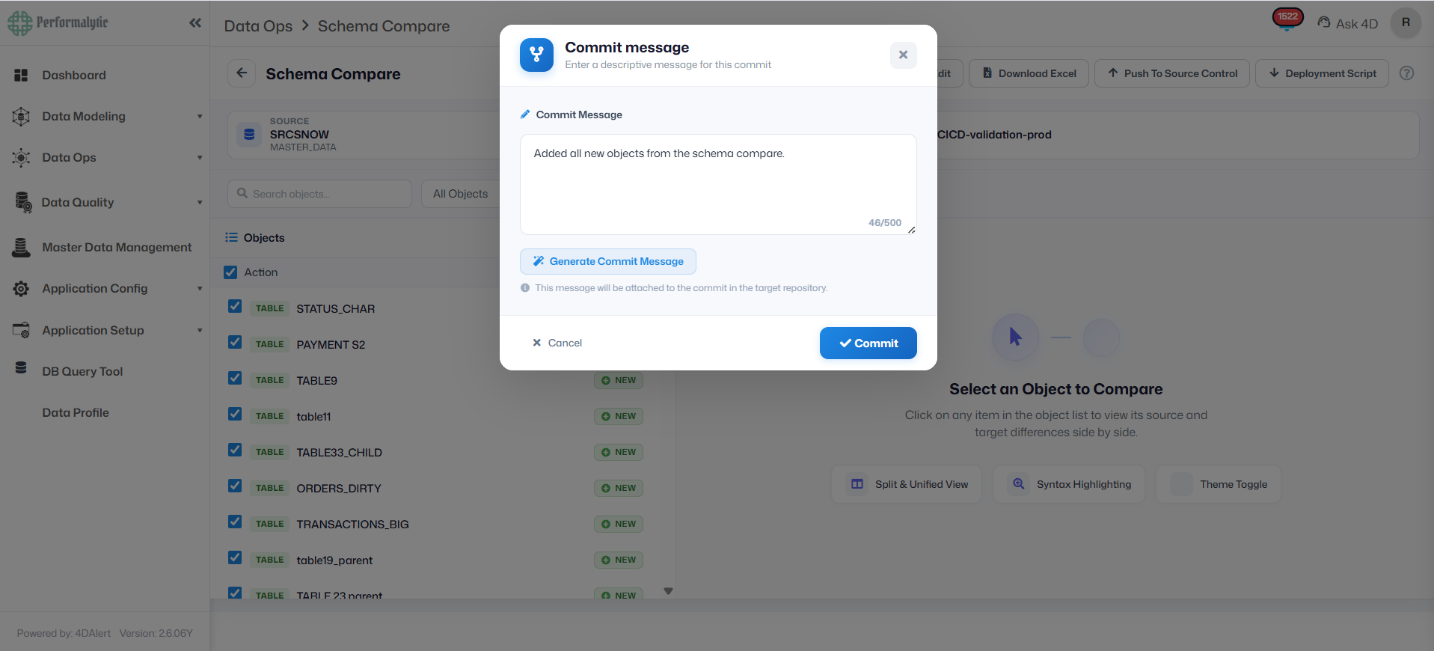
When pushing selected schema objects to source control, 4DAlert presents a Commit Message dialog. Users can type a custom message or click “Generate Commit Message” to have the system produce one automatically. The commit message is attached directly to the target GitHub repository branch. In this example, the message reads: “Added all new objects from the schema compare.” The 46/500 character counter ensures descriptive but concise commit documentation. Clicking Commit finalizes the push to the repository.
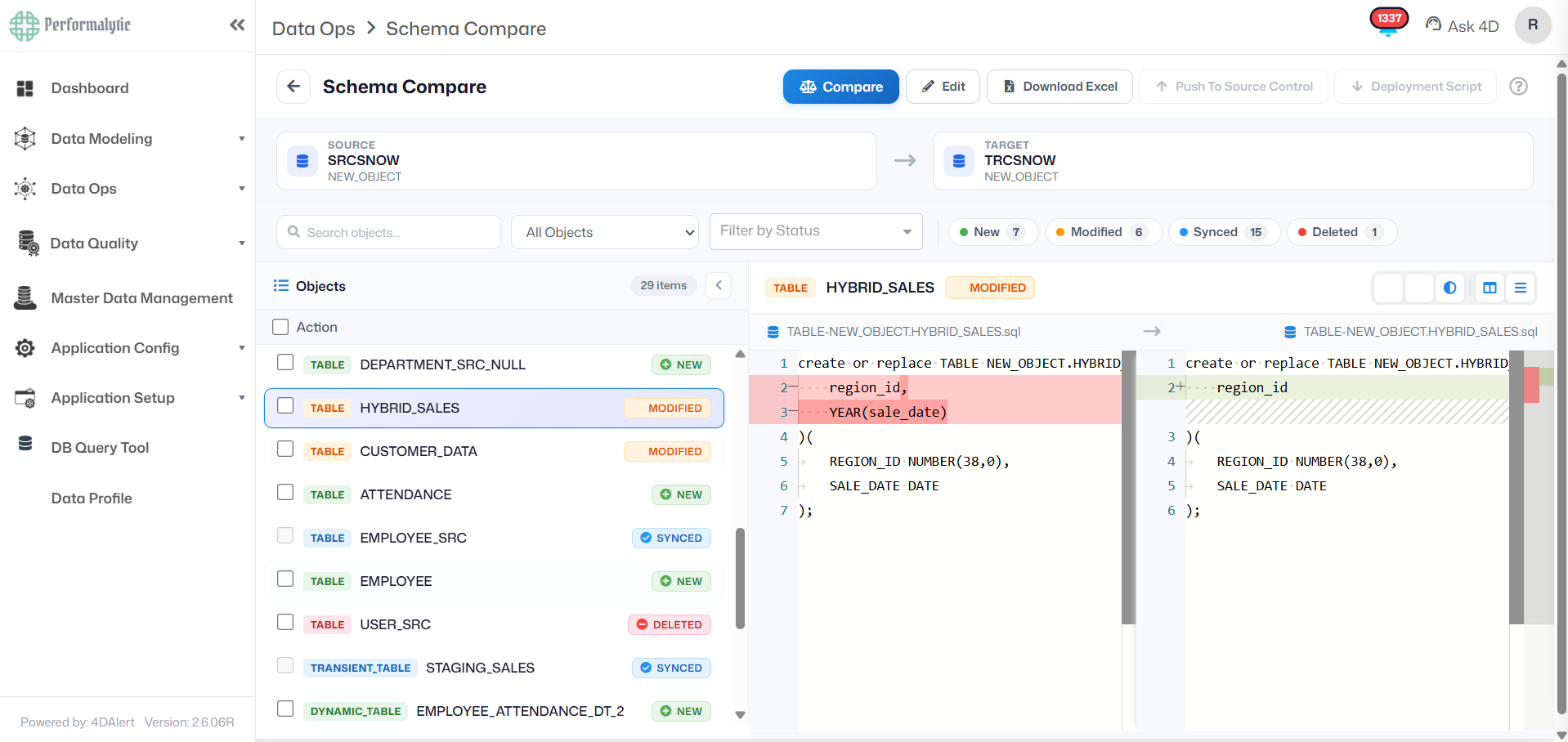
The Schema Compare results view shows 211 objects across four status categories: 47 New, 109 Modified, 53 Synced, and 2 Deleted. The left panel lists all objects with their type and status. The right panel displays a side-by-side DDL diff for the selected object (CREATE OR REPLACE TABLE TABLE). Red-highlighted lines indicate the source (current database) definition, while green-highlighted lines show the target (source control) version. Column-level differences such as changes in NUMBER precision and VARCHAR length are immediately visible without any manual diffing.
This SyncUp Script view highlights Script #4, which includes a warning about possible data truncation due to a column type change on MASTER_DATA.TABLE4. Rather than executing a direct ALTER, 4DAlert generates a four-step safe migration pattern: (1) rename the existing table as a backup, (2) recreate the table with the correct structure, (3) copy data from the backup to the new table using COALESCE for safe null handling, and (4) drop the backup table (optional). This approach protects production data while executing potentially destructive column changes.
No guide is complete without the hard lessons. Here are the mistakes teams make most often when adopting database CI/CD, and what to do instead.
4DAlert Schema Compare: Closing the Database CI/CD Gap
Most CI/CD tooling handles application code well. The database remains the weakest link not because automation is impossible, but because purpose-built schema compare tooling has historically been absent from the pipeline. 4DAlert is designed specifically to fill that gap, integrating directly with GitHub Actions and Azure DevOps so that schema comparison, diff generation, and script deployment are triggered automatically alongside every commit or pull request.
Key capabilities 4DAlert brings to the database CI/CD pipeline:
⦿ Saved Comparison Configurations source, target, object types, and preferences are saved once and reused every run. No re-entering connection strings before each pipeline execution.
⦿ Three comparison modes from one configuration Database-to-Database (detect environment drift), Database-to-Source-Control (confirm a live DB matches what’s checked in), and Source-Control-to-Database (the standard pre-deployment validation check before any release).
⦿ Four-status object breakdown every object is tagged NEW, MODIFIED, SYNCED, or DELETED, with a full side-by-side DDL diff available for any MODIFIED object so there is no ambiguity about what the deployment script will change.
⦿ Auto-generated SyncUp Script dependency-ordered SQL generated in seconds, not hours. DROP statements are commented out by default and require explicit opt-in, preventing accidental destructive operations from reaching production unreviewed.
⦿ Direct DevOps push generated scripts go straight into GitHub Actions or Azure DevOps with a single click. No manual download, no separate upload step, no file handling between comparison and deployment.
⦿ Multi-database coverage Snowflake, SQL Server, Oracle, PostgreSQL, MySQL/MariaDB, Azure Synapse, Amazon Redshift, Google BigQuery, MongoDB, Databricks, IBM Db2, and SAP HANA.
⦿ Full audit trail every schema change that runs through 4DAlert is logged with what changed, what script ran, who triggered it, and whether it succeeded or was blocked.